Use AI for Code Review: A Practical Workflow That Keeps Humans Accountable
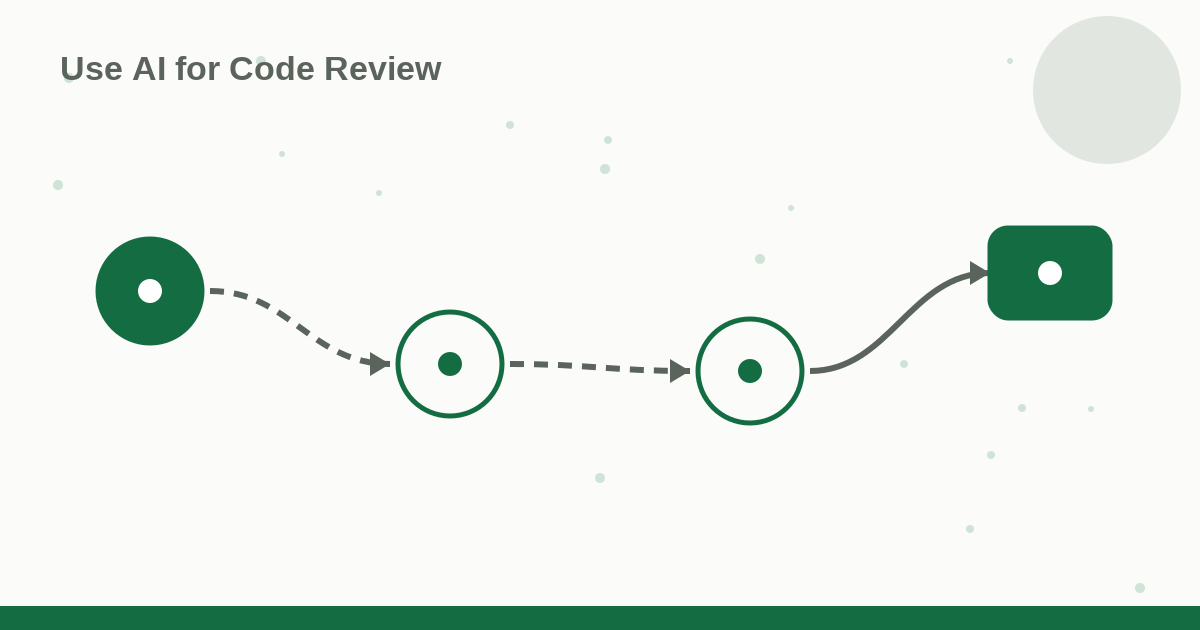
Teams that use AI for code review get the best results when they treat it as a tireless first reviewer, not as the approver. AI can read a diff, point out likely bugs, suggest clearer names, flag missing tests and explain unfamiliar code. It can also miss subtle logic errors, invent problems and praise code that is wrong. This guide gives a practical workflow, prompts, security rules and team habits so AI makes reviews faster without lowering standards. It is based on our earlier research of AI assistants and coding tools.
What AI is good at in code review
AI is good at spotting common bugs, inconsistent naming, duplicated logic, missing error handling, unclear comments and gaps in test coverage. It is useful for explaining what a change does to a reviewer unfamiliar with the area, and for drafting review comments. It is weaker at understanding your product's business rules, architecture history and performance constraints, which usually matter most.
What AI should not decide
AI should not approve merges, judge security-critical changes alone or replace domain experts. Reviews exist to share knowledge, maintain standards and take responsibility. Keep at least one human reviewer accountable for every change, and require extra review for authentication, payments, data access and infrastructure code.
Step 1: Set the scope when you use AI for code review
Give the AI a small, focused change. Large diffs produce shallow feedback. Provide context: what the change is for, related files, coding standards and what kind of feedback you want. A good request is "Review this function for bugs, edge cases and readability. We use Python 3.12 and prefer simple code."
Step 2: Use structured prompts
Ask for categories of feedback so results are easy to triage:
- Correctness bugs and edge cases.
- Security concerns.
- Performance issues.
- Readability and naming.
- Missing tests.
Ask the AI to quote the line it refers to and explain why it matters. Vague comments are not actionable.
Prompts that work well
- "Review this diff. List only issues you are confident about, quoting the line and explaining the failure scenario. Mark anything uncertain as [QUESTION]." - "What inputs would break this function? Suggest test cases for each." - "Explain what this pull request does in five bullet points for a reviewer new to this module." - "Check this code for common security issues such as injection, unsafe deserialization and exposed secrets." Asking for confident issues only reduces noise.
Step 3: Verify every suggestion
Treat AI comments as hypotheses. Run the code, write a failing test for a claimed bug and check documentation before changing anything. AI sometimes recommends changes that introduce bugs, use outdated APIs or ignore project conventions. A suggestion is only worth applying when you understand why it is right.
Step 4: Check tests and coverage
Ask AI to propose tests for edge cases and failure paths, then review and run them yourself. Tests that merely mirror the implementation prove little. Look for tests that would fail if the code were wrong. Keep your continuous integration checks in place; AI review complements them rather than replaces them.
Security and secrets
Do not paste API keys, passwords, customer data or proprietary code into tools that your organization has not approved. Check the tool's data terms and whether code is stored or used for training. Use company-approved tools and settings, and scan repositories for exposed secrets regardless of AI. See our guide on whether it is safe to upload files to ChatGPT for general principles.
Setting team rules
Agree on how AI fits into reviews:
- Authors may run AI review before opening a pull request.
- AI comments never count as approval.
- Human reviewers remain responsible for merging.
- Security-critical changes need named reviewers.
- Teams record when AI-suggested changes were applied.
Short rules prevent confusion and over-trust.
Automating the first pass
Some teams connect AI review to their repository so it comments on pull requests. If you do this, keep comments clearly labelled, limit them to high-confidence feedback and measure usefulness. Automation tools can help with the plumbing; see our guide to build an AI agent with n8n and our explainer on what MCP is in AI. Keep humans in the loop; see our guide to human-in-the-loop AI automation.
Measuring whether it helps
Track review turnaround time, bugs found after merge, how many AI comments reviewers accept and reviewer satisfaction. If acceptance is low, the AI is generating noise; narrow the scope or improve the prompts. If bugs after merge rise, you may be trusting it too much.
Example: a four-person product team
The team asks authors to run an AI check before opening a pull request, using a template prompt with the project's coding standards. Authors fix obvious issues first, so human reviewers see cleaner diffs. For a payment change, two named reviewers still examine every line. After a quarter, review turnaround falls, a few real bugs are caught early, and the team adjusts its prompt after noticing too many style comments.
Common mistakes
- Pasting secrets into unapproved tools.
- Treating AI approval as human approval.
- Applying suggestions without tests.
- Reviewing huge diffs in one go.
- Ignoring context such as architecture and business rules.
Prompts for different review types
- Refactoring: "Does this refactor change behaviour? List any differences you can see."
- API changes: "List breaking changes this diff introduces for callers."
- Database changes: "Check this migration for locking risks and rollback problems."
- Documentation: "Do the comments and docs still match what the code does?"
Final tip
Keep a short list of mistakes AI review has missed on your team. Share it in retrospectives and add the patterns to your prompts and checklists.
Learning from reviews
Use AI feedback as a teaching tool for junior developers: ask it to explain why a suggestion matters and then discuss it with a mentor. The goal is better engineers, not just cleaner pull requests.
Related reading
For the wider automation picture, see our Zapier vs Make vs n8n comparison.
FAQ
Can AI replace code reviewers?
No. It can be a useful first pass, but humans share knowledge, understand the product and remain accountable for merges.
Is it safe to paste code into an AI tool?
Only in tools your organization approves, and never with secrets or customer data. Check data terms and settings.
How do I reduce false alarms?
Ask for confident issues only, with the failing scenario, and narrow the scope to small changes.
Should AI review be mandatory?
Many teams make it optional for authors but never a substitute for human review.
What should AI review focus on?
Bugs and edge cases, security concerns, missing tests and readability, with humans handling design and business rules.
Conclusion
To use AI for code review well, give it small, well-described changes, ask for structured and confident feedback, verify every suggestion and keep secrets out. Humans stay accountable for every merge, especially for security-critical code. Measure results and adjust your prompts and rules as you learn.
Sources and methodology
This guide is based on our earlier research and testing of AI assistants, automation, productivity and writing tools, linked throughout. It contains no vendor pricing or legal claims beyond those attributed below. Features, prices and platform rules change; check each provider's current terms.